An access point is only as good as where it's mounted and what feeds it. We design AP placement from real coverage data, run the PoE cabling, mount and configure the hardware — UniFi and Ubiquiti our specialty — and hand over WiFi that works in the corners, not just near the router.
Prefer to talk? Call Chris — 0412 853 618
One AP in a tricky spot or a whole-building UniFi deployment — send through your details and Chris will get back to you with straight advice and a fixed price. Prefer to talk? Call 0412 853 618. No pushy sales, just solid work.
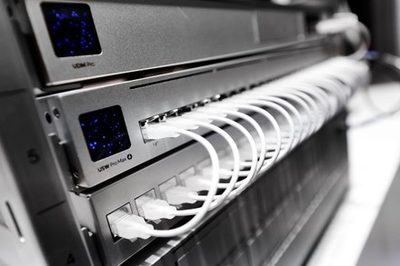
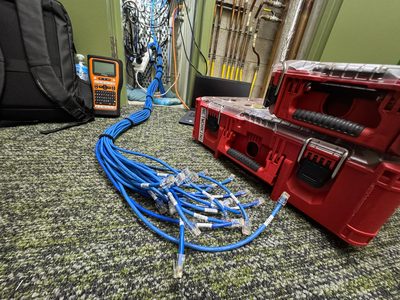
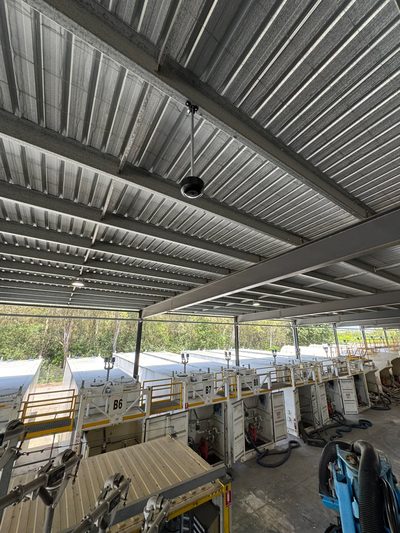
Here's the industry's open secret: great WiFi is mostly a cabling and placement problem. Every wireless access point needs a quality PoE cable feeding it from the right switch, mounted in the right place for the building it's actually in. Get those right and almost any decent AP performs; get them wrong and the most expensive hardware on the market still drops video calls in the corner office.
That's also why the cheapest quote so often becomes the most expensive WiFi: an installer who treats the cabling as someone else's problem delivers access points that underperform from day one, with nobody clearly responsible for fixing it. Unified Network Solutions installs wireless access points across Brisbane and South East Queensland as a complete service: coverage design from real measurements, certified Cat6/Cat6a PoE cabling to every mount point, professional ceiling or wall mounting, and full configuration — SSIDs, VLANs, guest networks, and roaming. We're UniFi and Ubiquiti specialists with an ACMA Open Cabler registration (#42489), which means the same team designs the wireless and is licensed to run the cable that makes it work. A Ubiquiti wireless access point installed properly outperforms a dearer unit installed by guesswork — that's the whole trade.
UniFi is our preferred ecosystem for most Brisbane businesses, and for good reason: Ubiquiti wireless access points deliver enterprise-grade performance — fast roaming, VLAN segmentation, guest portals, central management — without the per-device licensing fees that make traditional enterprise WiFi an annuity for the vendor.
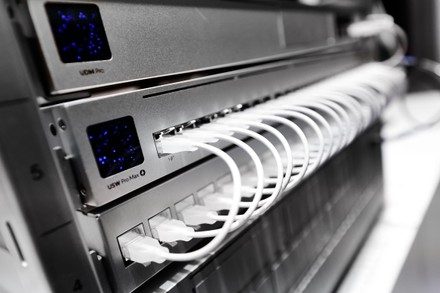
We install the full Ubiquiti stack: UniFi access points across the range (ceiling, wall, in-wall, and outdoor models), the PoE switches that power them, UniFi gateways, and the controller — whether that's a Dream Machine, a Cloud Key, or self-hosted. For sites already running UniFi Protect cameras or UniFi Access door control, the new wireless drops into the same single console, which is half the appeal of the ecosystem. Everything is adopted, updated, and configured into one managed system rather than left as a pile of devices with default settings.
And because we're brand-agnostic by policy, when a site genuinely calls for something other than UniFi — unusual compliance needs, an existing enterprise fleet worth keeping — we'll say so plainly and install what fits.
Most bad WiFi was installed exactly where the cable was easiest to run — the access point ends up above the storeroom because that's where the ceiling access was, and the boardroom at the far end limps along on one bar forever after. Proper access point placement starts from the other end: where do people actually use the network, what's the building made of, and how many devices land on each AP at the busiest hour?
For anything beyond a simple site, we start with a WiFi site survey and heat mapping — measuring signal behaviour in your actual building rather than estimating from a floor plan. Brisbane's commercial building stock is full of WiFi killers: besser block walls, foil-backed insulation, metal ceiling grids, cool room panels. The survey finds them before the install, not after.
The design balances coverage against capacity — more access points aren't automatically better, since overlapping APs on the same channels interfere with each other. Right-sized, properly channelled, and placed for the building you actually have: that's the difference between coverage on paper and coverage in the corner meeting room.
Every AP lives or dies by its cable. This is where being cablers first genuinely matters.
Cat6 or Cat6a to every mount point, terminated and Fluke-certified — because a marginal run that worked for a desktop will brown-out a WiFi 6E access point drawing 20W+ through the same copper.
PoE, PoE+ or PoE++ matched to each AP model, and the switch's total budget confirmed across every port — so the network doesn't fall over when all the access points wake up at once.
Existing runs near AP locations get tested before reuse. Pass and they save you money; fail and you find out before the install, not via mystery dropouts in month three.
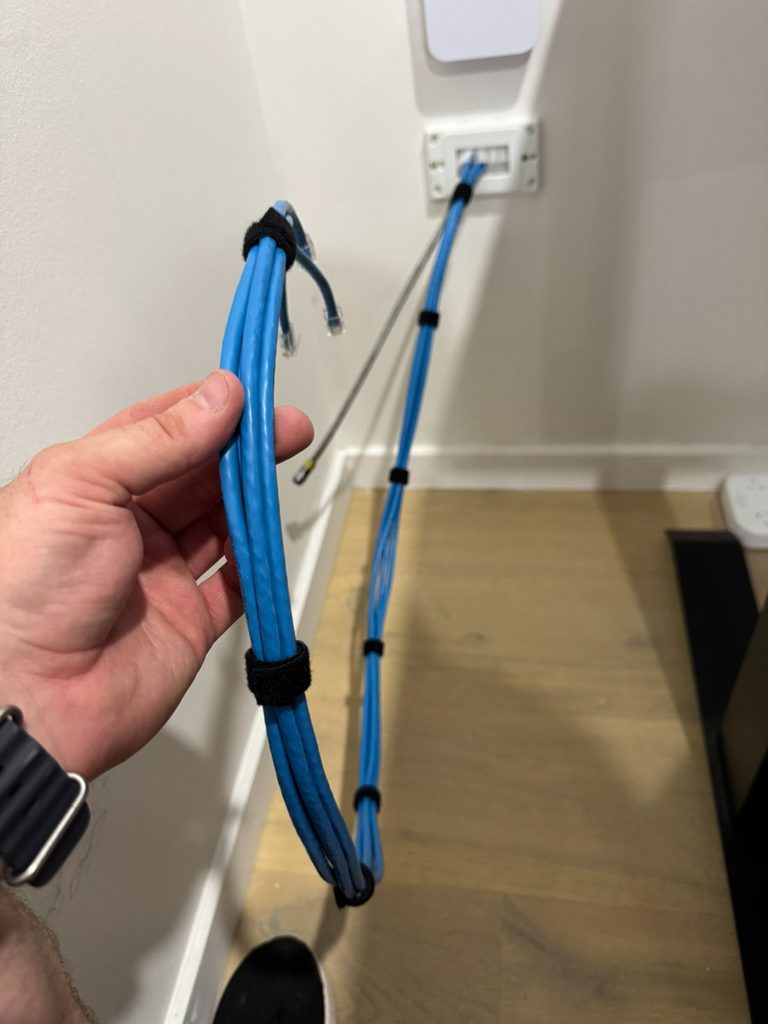
New runs are installed as part of the job — ceiling-level data points at every AP location, run back to the switch through proper pathways, documented and labelled like all our data cabling. One contractor, one standard, no gap between the wireless design and the wiring that feeds it.
Mounting hardware is the easy half. The configuration is what separates "WiFi that exists" from WiFi that quietly just works.
Controller setup. Dream Machine, Cloud Key or self-hosted — adopted, updated, backed up, and handed over with admin access that's yours, not held hostage by the installer. Your network, your keys.
SSIDs, VLANs & guest networks. Staff, guest, and device networks properly separated — guests get internet without a path to your file server, and IoT junk lives on its own segment where it can't hurt anything.
Roaming that actually roams. Band steering, minimum RSSI, and channel plans tuned so laptops hand off between access points instead of clinging to the far one — the config detail behind "the WiFi just works everywhere now."
An office ceiling is the easy case. Plenty of Brisbane wireless access point installation work happens somewhere harder.
High ceilings, metal racking that moves, forklifts, and scanners that roam the whole floor. We mount APs at the right height with the right antennas — and cable them through catenary and steel containment that survives the environment.
Outdoor-rated Ubiquiti access points for beer gardens, loading docks, carparks and campuses — weather-sealed, properly earthed, and fed by gel-filled outdoor cable or underground runs where they cross open ground.
Function rooms, gyms, clinics and classrooms where a hundred devices hit the WiFi at once. Capacity planning — not just coverage — decides the AP count, channel widths and band steering here, and it's where survey data earns its keep.
Across all of them the constant is the same: the wireless access point is the visible tip of a wired system. Mounting hardware where the environment demands and cabling it to certification standard is what makes the difference between WiFi that demos well and WiFi that survives a Brisbane summer in a tin shed.
Site survey or floor-plan review, coverage and capacity design, AP count and placement locked in — measured, not guessed.
Hardware, cabling, mounting, and configuration itemised with a fixed price. No hourly rates, no surprises.
PoE runs installed and certified, access points mounted cleanly — ceiling, wall, or outdoor — with no visible cabling.
Controller, SSIDs, VLANs, roaming tuned and verified on-site with a coverage walk-through — plus documentation and your own admin access.
Most WiFi installers subcontract the cabling. Most cablers don't understand wireless. We're both — and that's the whole point.
ACMA Open Cabler #42489 with an IT background — the wireless design and the PoE cabling come from the same brain, so nothing falls between two trades.
Not just mounted and adopted — VLANs, roaming, guest isolation and backups configured the way Ubiquiti intended, documented, with admin access handed to you.
White-label AP rollouts for IT companies and MSPs — we do the survey, cabling and mounting, your team keeps the client and the management layer.
A single ceiling-mounted access point — including the Cat6 PoE cable run, mounting, and configuration — typically lands in the $450–$800 range depending on ceiling type and cable pathway difficulty, with the AP hardware itself priced separately by model. Multi-AP deployments are quoted per project, and the per-AP rate drops with volume. Fixed-price quotes after a site survey or floor plan review — call Chris on 0412 853 618.
It depends on floor area, wall construction, user density, and what the WiFi carries — an open-plan office needs fewer APs than the same floor area cut up by concrete and glass partitions. As rough guidance, a small office may need one or two well-placed APs, a 1,000m² warehouse several, and a venue with high device density more again. We answer it properly with a WiFi site survey — measuring rather than guessing — and design AP placement from the results. The survey usually pays for itself by preventing one unnecessary access point.
Yes — UniFi is our preferred ecosystem for most Brisbane businesses and we install Ubiquiti wireless access points, switches, gateways, and the UniFi controllers that manage them. We design the network, run the PoE cabling, mount and adopt the APs, configure SSIDs, VLANs and roaming, and hand over a documented system you or your IT provider can manage.
For the vast majority of Brisbane small-to-medium businesses, UniFi delivers enterprise-grade WiFi — fast roaming, VLANs, guest portals, central management — at a fraction of the licensing cost of traditional enterprise vendors. Where a site genuinely needs something else (specific compliance requirements, an existing enterprise fleet, unusual scale), we'll say so. We're brand-agnostic by policy: the recommendation fits the site, not a reseller agreement.
Often, yes. If there's existing Cat5e or Cat6 at or near the right locations, we test each run to confirm it can carry the data and PoE load reliably — modern WiFi 6/6E access points draw real power, and a marginal old run that worked for a desktop can brown-out an AP. Runs that pass get reused; runs that don't get replaced. Testing first costs little and prevents the intermittent dropouts that come from guessing.
Power over Ethernet delivers power and data over the same cable, which is why access points don't need a power outlet in the ceiling. Modern APs commonly need PoE+ (up to 30W), and high-end WiFi 6E/7 models can require PoE++ — so the switch's power budget and the cable's quality both matter. We confirm the PoE budget across every port as part of the design, so the network doesn't fall over when all the APs wake up at once.
Ceiling-mounted, centrally within their coverage zone, is the default for good reason — clear line of sight to users and predictable coverage. Placement follows the design, not the easiest cable run: hallway-only placements, APs hidden above metal ceiling grids, or units stuffed in comms cupboards are the classic causes of dead spots. Where ceilings aren't practical we wall-mount with appropriately patterned antennas.
We service Brisbane CBD, North Brisbane, South Brisbane, Gold Coast, Sunshine Coast, Ipswich, Logan, Moreton Bay, Redlands, and the wider South East Queensland region. For larger projects, we can service regional Queensland by arrangement.
We install wireless access points across Brisbane CBD and metro, Logan, Ipswich, Redlands, Moreton Bay, the Gold Coast, and the Sunshine Coast — offices, warehouses, schools, medical centres, retail, and hospitality venues. Single-AP fixes for the dead spot that's driven everyone mad, through to whole-building UniFi deployments with dozens of access points across multiple floors and outbuildings. Site surveys are free, quotes are fixed-price, and the cabling is certified by the same registered cabler who designs the wireless. From a single Ubiquiti wireless access point to a managed fleet, every Ubiquiti wireless access point we hang is placed by survey and powered with headroom.
Tell us about your building and where the WiFi hurts — we'll survey it, design the access point layout, and quote the whole job at a fixed price. One Ubiquiti wireless access point or forty — the quote is fixed and the placement is measured.
Call 0412 853 618 Get a Quote Online Unified Network Solutions