Every business has the meeting room AV space ritual: five minutes of cable roulette, a display hunting for inputs, and someone's laptop dying mid-share. We build the other kind of room — walk in, one tap, everything works — on the boring foundation that makes it possible: proper cabling, matched hardware, and configuration that survives contact with Monday.
Prefer to talk? Call Chris — 0412 853 618
New room, fitout, or the existing one that embarrasses everyone on client calls — send the room size and your meeting habits, and Chris will come back with straight advice and a fixed price. Prefer to talk? Call 0412 853 618.
The meeting room is the most client-facing square metres your office owns — and the room where technology failure is a performance, witnessed by everyone whose opinion matters. Good meeting room AV isn't about impressive hardware; it's about the meeting starting when the people do, every time, including the time the client's on the screen and the stakes are real.
Unified Network Solutions builds boardroom AV and video conferencing rooms across Brisbane and South East Queensland from the layer most AV installers skip: the network. Displays, video bars, room consoles, and wireless presentation all ride on cabling and configuration — so a registered cabler (#42489) with an IT background builds rooms that don't just demo well, they survive years of Mondays. New fitouts, retrofits into standing rooms, and rescues of the boardroom everyone's given up booking.
The certified Teams Room or Zoom Room is the boardroom av formula that actually works: a console on the table, certified camera and audio sized to the room, the platform's room software running on dedicated hardware — and the meeting joins with a single tap, no laptop ceremony, no cable hunting, no "can everyone see my screen" liturgy.
We build them end to end: the room hardware specified to the platform's certification list and the room's real dimensions, the display and camera mounted at heights that flatter rather than loom, audio matched to the table (more on that below), the lot cabled and configured, and room calendar integration so the panel beside the door tells the truth about bookings.
For multi-room offices, the same build standard rolls across every space — identical experience in every room, one set of spares, and a fleet your IT provider can manage without a translator.
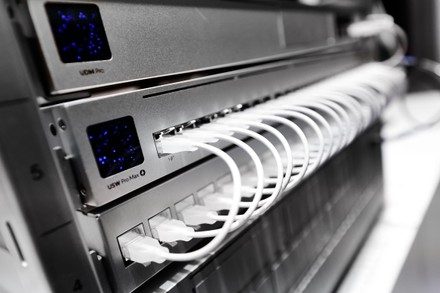
The screen gets the budget; the audio gets the complaints. The honest hierarchy of what makes a meeting room work:
Audio first. Remote participants forgive a mediocre picture and mutiny over bad sound. Microphone coverage matched to the actual table length — bar mics for huddle rooms, ceiling or table arrays once the room grows past their pickup range — and speakers that fill the room without feedback. This is where we spend your budget's attention.
Commercial displays, properly mounted. Consumer TVs in meeting rooms die young and void warranties in commercial use. Commercial panels sized to viewing distance, mounted to structure at the right height, with the cabling in the wall — recessed, dressed, invisible.
Cameras that frame people. Auto-framing video bars for most rooms, PTZ cameras for big ones — mounted where eye contact happens, not where the bracket was easiest.
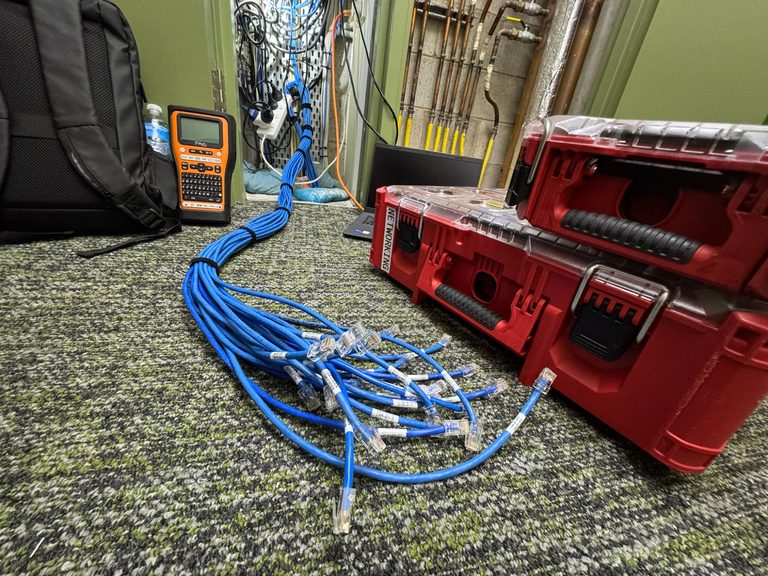
The modern boardroom table is a magic trick: power and USB-C rising through flush boxes, laptops presenting to the display without a cable in sight, and the table surface owned by coffee cups instead of a six-port HDMI switcher with a personality disorder.
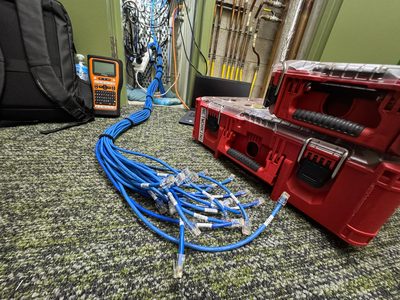
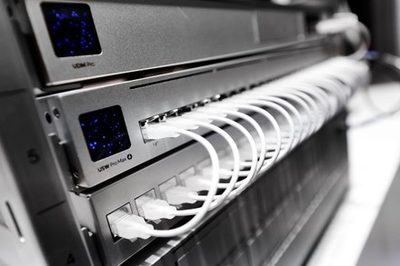
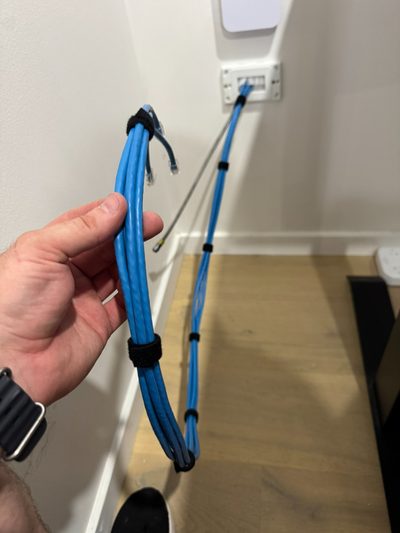
The trick, as always, is plumbing — boardroom av that looks effortless above the table is engineered below it. Cable-free above the table means thoroughly cabled below it — floor boxes or table-spine routing planned at fitout (or retrofitted with core drills where the room deserves it), the wireless presentation system on a wired backhaul, and every under-surface connection dressed and labelled like the comms cabinet it secretly is.
Wireless presentation itself gets specified honestly: the native casting in Teams/Zoom rooms covers most needs; dedicated systems earn their licence cost in rooms with heavy guest presenting. We fit what the room's actual use justifies.
Room dimensions decide the boardroom av recipe more than budget does — the same dollars build a brilliant huddle room or an inadequate executive one. The honest tiers, from phone booth to town hall:
A display, a compact video bar, one cabled data point — simple, cheap, and bulletproof. The mistake here is over-building; the win is making every small room identical.
The workhorse: a certified all-in-one bar covers camera and audio at this scale, wireless presentation earns its place, and the whole room lands around the cost of a good laptop fleet refresh.
Where audio graduates — the table outruns bar microphones, so ceiling or table arrays take over, the camera moves to auto-framing, and the one-tap console becomes non-negotiable.
PTZ cameras, zoned ceiling audio, dual displays so the far end can read the deck — engineered video conferencing rather than assembled, and worth every step of the design.
Presentation-first spaces: bigger displays or projection, voice lift for the presenter, and meeting room av that handles a hybrid audience without a dedicated operator.
One standard rolled across every space — identical user experience, shared spares, single management pane. The fleet approach costs less per room and removes the "which room works" lottery entirely.
Every piece of meeting room AV is a network device wearing a nicer suit. The room works because the layer you can't see does.
Room consoles, cameras, and displays on certified cabled connections — because WiFi-only meeting rooms drop calls in proportion to the meeting's importance.
AV gear on its own VLAN, guest presenting isolated from the corporate network — the room is convenient for visitors without being a side door.
PoE where the gear supports it, conditioned power where it doesn't, and nothing dangling from a power board behind the credenza.
Every room handed over with its connections mapped — so the next fault is a lookup, not an exploratory dismantling of the joinery.
Slack loops where future hardware swaps happen, accessible terminations, and labels that outlive the staff who chose the gear.
Rooms built to slot into your MSP's management — their monitoring, our copper, and a handover doc both sides can read.
Dimensions, table, platform (Teams/Zoom/both), and what frustrates people now — the design starts from how you actually meet.
Hardware matched to the room's size and certification lists, audio sized to the table, cabling scoped — one fixed price, hardware included.
Runs in and certified, displays and cameras mounted to structure, the table's plumbing fitted — scheduled around your meeting calendar.
The room configured, calendar integration live, and a real test call with you in it — handover happens after the room works, not before.
AV installers who can't cable, and cablers who don't get AV, have built most of Brisbane's broken meeting rooms between them.
ACMA Open Cabler #42489 with an IT background — the display, the network it rides, and the cabling underneath from one accountable team.
Certified where it matters, economical where it doesn't — and we'll talk you out of the 98-inch panel the room's viewing distance can't justify.
Existing rooms diagnosed before anything's replaced — half the broken boardrooms in Brisbane need a fix, not a refit, and we say which before any hardware is quoted.
A solid meeting room — commercial display mounted and cabled, video bar, wireless presentation, the table connected cleanly — typically runs $4,000–$10,000 including hardware, depending on room size and ambition. A full Teams or Zoom room with certified gear and room scheduling lands higher; a simple display-and-cable huddle space lower. Fixed quote from the room's dimensions and your meeting habits — call Chris on 0412 853 618.
A certified Teams/Zoom Room is a purpose-built system: a room console on the table, certified camera and audio matched to the room's size, and the platform's room software — so meetings start with one tap, remote people see and hear everyone properly, and nobody plugs a laptop into anything. The TV-and-webcam version costs less and works for huddle spaces; the certified room earns its keep wherever meetings happen daily and clients dial in.
Audio is the part everyone under-buys and the part remote participants suffer most. The usual causes: a camera-bar microphone serving a table deeper than its pickup range, hard room surfaces bouncing echo, and the system mounted where the spec sheet said rather than where the room's acoustics demanded. The fix is matching microphone coverage to the actual table — ceiling or table mics for longer rooms — not buying a more expensive bar.
Yes — the modern table carries power and USB-C in flush boxes, presents wirelessly to the display, and connects to the room system without a single trailing lead. The plumbing that makes it possible lives under the floor or through the table's spine, planned at fitout or retrofitted with floor boxes. Cable-free at the surface means properly cabled underneath — which is exactly our home territory.
Both, and that's the point. Meeting room gear is network equipment: the room console, camera, and display all need cabled connections (WiFi-only meeting rooms drop calls in proportion to how important the meeting is). As ACMA-registered cablers we run and certify the room's data points, put the AV gear on appropriate VLANs, and make the room a proper network citizen — which is the difference between AV installed and AV that keeps working.
Often, yes. Plenty of "broken" boardrooms are good hardware let down by cabling, configuration, or one failed component — the display that lost its input, the USB cable run too far past spec, the camera that needed a powered extension. We diagnose first, fix what's actually wrong, and quote replacement only where the hardware genuinely earned retirement.
A display-and-video-bar room is typically a single day including cabling and configuration. A full Teams Room with ceiling audio and a cable-free table runs two to three days, mostly cabling and commissioning. During fitouts the work folds into the program — rough-in early, hardware at final fix — and standing rooms get scheduled around your meeting calendar.
We service Brisbane CBD, North Brisbane, South Brisbane, Gold Coast, Sunshine Coast, Ipswich, Logan, Moreton Bay, Redlands, and the wider South East Queensland region. For larger projects, we can service regional Queensland by arrangement.
Meeting room AV, Teams and Zoom room builds, and boardroom rescues across Brisbane CBD and metro, Logan, Ipswich, Redlands, Moreton Bay, the Gold Coast, and the Sunshine Coast — single huddle spaces, executive boardrooms, and multi-room fleets built to one standard. Fixed prices, certified cabling underneath, and a commissioning test call before we call any boardroom av project done. The room your clients see deserves the same engineering as the comms room they don't. Meeting room AV is the same brief at every scale — meeting room AV that starts on time, every time.
Send the room dimensions and what drives everyone mad about it — we'll design the fix, quote it fixed, and prove it with a test call before handover. The next client meeting can be the one where the technology was invisible.
Call 0412 853 618 Get a Boardroom Quote Online Unified Network Solutions